Thursday, April 28, 2011

Microsoft Releases OneNote Update For iOS

Microsoft has updated its OneNote application for the iPhone and iPod touch.


Microsoft OneNote Mobile is the easy-to-use, powerful note-taking application for all of your ideas, brought to you by Microsoft Office. OneNote Mobile lets you create and view notes and lists whenever you need them. Sync your notes with free Windows Live online storage and access them from virtually anywhere using your phone, PC, or almost any web browser.


With OneNote Mobile, you can:▪ Create flexible notes that can include text, pictures, bullets, and checkboxes
▪ Check To Do items off on the go
▪ Save time with quick access to your most recent notes
▪ Work with confidence—OneNote Mobile automatically syncs your notes with Windows Live in the background
▪ Organize your notes into sections or create new notebooks using OneNote 2010 or OneNote Web App and access them from your iPhone

What's New In This Version:
▪ Simplified sign-in screen
▪ Ability to email notes
▪ Easier deletion of notes
▪ Home button to quickly return to notebooks view
▪ Faster syncing and app performance


You can download Microsoft OneNote from the App Store for free.
Read More [via MacStories]

Source: http://iclarified.com/entry/index.php?enid=14862

Tuesday, April 19, 2011

RedSn0w 0.9.6rc14 Fixes iOS 4.3.2 Untethered Jailbreak For The iPhone 4

The iPhone Dev-Team has released an update to RedSn0w that fixes issues when performing an untethered jailbreak on an iPhone 4 running iOS 4.3.2.


redsn0w rc14 includes the fixed i4 untether from @i0n1c. You can re-run redsn0w rc14 right over the tethered rc13b to transform the i4 JB into an untethered one.


The 4.3.2 untether works on all devices that actually support 4.3.2 except for the iPad2:
● iPhone3GS
● iPhone4 (GSM)
● iPod touch 3G
● iPod touch 4G
● iPad1


You can download RedSn0w 0.9.6rc14 here:
Windows
Mac


You can find our tutorials here:
● iPhone 4 (Windows, Mac)
● iPhone 3GS (Windows, Mac)
● iPod Touch 4G (Windows, Mac)
● iPod Touch 3G (Windows, Mac)
● iPad 1 (Windows, Mac)


Read More

Source: http://iclarified.com/entry/index.php?enid=14764

Monday, April 11, 2011

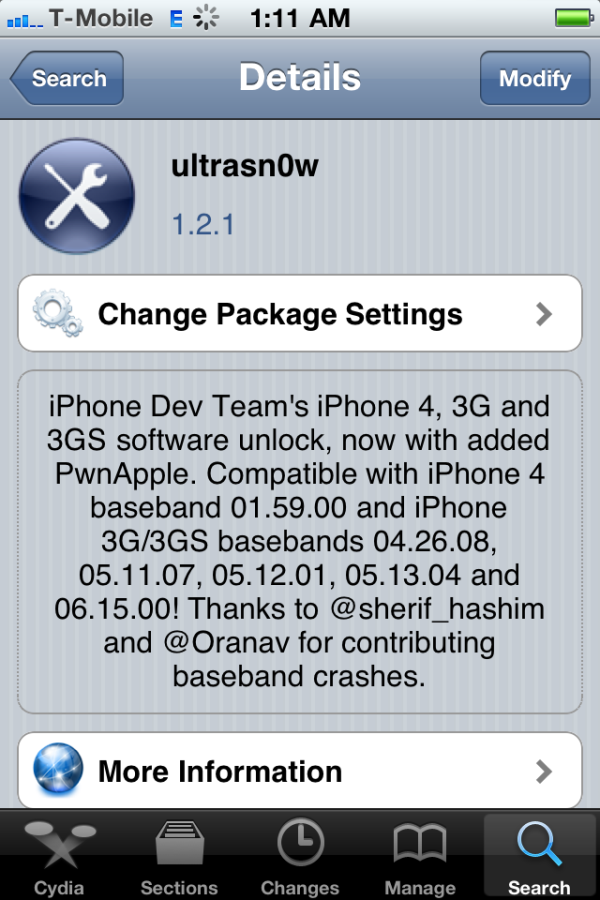
UltraSn0w Unlock Gets Updated To Support iOS 4.3.1

The iPhone Dev-Team has announced an update to UltraSn0w that makes it compatible with iOS 4.3.1 for basebands previously unlocked.


We’ve pushed out the 4.3.1 compatibility fix for ultrasn0w in Cydia — it’s now at version 1.2.1. If you’re not already at 4.3.1 and you need the unlock, please be sure you understand how to get to 4.3.1 using a custom IPSW that doesn’t update your baseband. There are lots of guides for this (like at iClarified.com).
This isn’t a new unlock! It’s to allow those who are already unlocked to use FW 4.3.1. It also fixes the signal bar issue for those who aren’t using the unlock but retain an older baseband intentionally.


After installing UltraSn0w 1.2.1 you should reboot your device by using the normal power button and "Slide to Power Off" swipe. USA T-Mobile users need to disable 3G mode in Settings:General:Network.


To upgrade to iOS 4.3.1 without upgrading your baseband you can use one of these tutorials
● TinyUmbrella iPhone 4 (Windows, Mac)
● PwnageTool iPhone 4 (Mac)
● PwnageTool iPhone 3GS (Mac)
You can find our UltraSn0w unlock tutorial here.


Read More

Source: http://iclarified.com/entry/index.php?enid=14653