Tuesday, May 24, 2011

iPhone 3GS Will Not Support iOS 5.x?

Mobile-Review Editor-in-Chief Eldar Murtazin is reporting that Apple will drop support for the iPhone 3GS in iOS 5.x.

Murtazin made the following tweet earlier today.

Just one comment. Apple iPhone 3Gs wont be upgradable to iOS 5.x. iPhone 4 will.


The source of Murtazin's statement is unclear; however, considering that iOS 5.x is supposed to be a large update it makes sense for Apple to try and avoid the same problems it had with the iPhone 3G on iOS 4.x.


It also seems to suggest that iOS 5.x would a launch alongside a new device; otherwise, Apple would be left with only one device on its latest operating system.


Source: http://iclarified.com/entry/index.php?enid=15251

Thursday, May 5, 2011

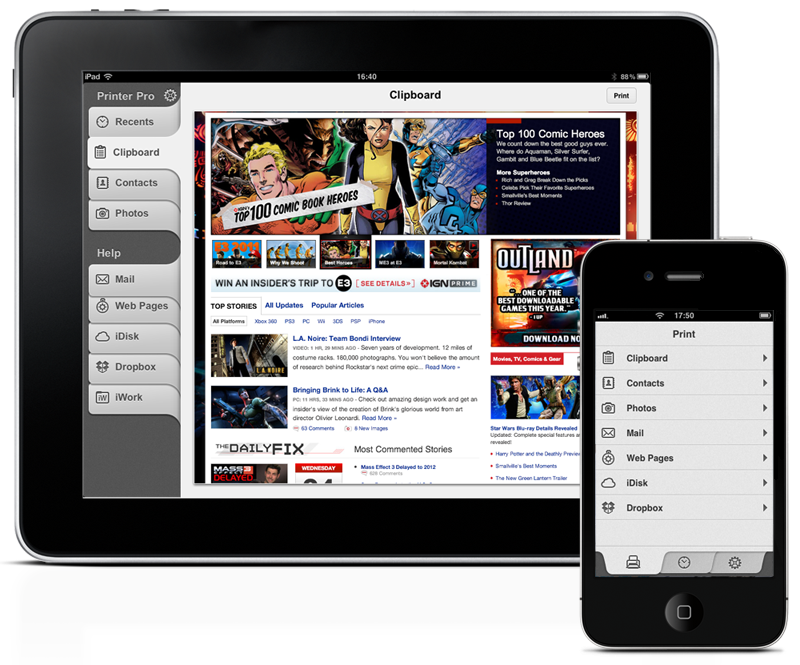
Printer Pro 1.5 Improves Printing From iOS Devices

Readdle has released Printer Pro 1.5, a new version of popular application for printing email attachments, annotated documents, web pages, photos and other types of content from iOS devices.
The new version of Printer Pro enhances printing experience for iPhone and iPad owners by delivering an excellent performance and advanced feature set. Printer Pro 1.5 allows user to manually set up page margins and preview the text layout before printing. In addition to these new options, the update has improved printing process, thus enabling users to print necessary documents in seconds.


Also, Printer Pro 1.5 lets iOS owners to print PDF documents with mark-ups, hand drawn notes, signatures and even embedded forms right from the Mail or PDF reader of their choice. There is no necessity to flatten a document before printing it.


"Apple iOS devices replaced laptops, organizers, scanning and faxing machines for many use cases. All of this became possible thanks to a number of hight quality applications available for the platform," says Igor Zhadanov, Readdle CEO. "Printer Pro delivers the most complete printing solution to the iOS users in a simple and elegant way."


Printer Pro has the key feature of being able to print to many Wi-Fi printers and any printer connected to the Mac or PC via helper application that should be running on the computer. Printer Pro Desktop is a free software, that shares computer's default printer with Printer Pro thus extending list of the supporting printers to virtually any device available on the market.


Pricing and Availability:
Printer Pro 1.5 is $6.99 (USD) and $4.99 (USD) for iPad and iPhone versions accordingly and available worldwide exclusively through the App Store in the Productivity category. Printer Pro Desktop is a free software and can be downloaded from the Readdle web site.
Read More

Source: http://iclarified.com/entry/index.php?enid=14974

Thursday, April 28, 2011

Microsoft Releases OneNote Update For iOS

Microsoft has updated its OneNote application for the iPhone and iPod touch.


Microsoft OneNote Mobile is the easy-to-use, powerful note-taking application for all of your ideas, brought to you by Microsoft Office. OneNote Mobile lets you create and view notes and lists whenever you need them. Sync your notes with free Windows Live online storage and access them from virtually anywhere using your phone, PC, or almost any web browser.


With OneNote Mobile, you can:▪ Create flexible notes that can include text, pictures, bullets, and checkboxes
▪ Check To Do items off on the go
▪ Save time with quick access to your most recent notes
▪ Work with confidence—OneNote Mobile automatically syncs your notes with Windows Live in the background
▪ Organize your notes into sections or create new notebooks using OneNote 2010 or OneNote Web App and access them from your iPhone

What's New In This Version:
▪ Simplified sign-in screen
▪ Ability to email notes
▪ Easier deletion of notes
▪ Home button to quickly return to notebooks view
▪ Faster syncing and app performance


You can download Microsoft OneNote from the App Store for free.
Read More [via MacStories]

Source: http://iclarified.com/entry/index.php?enid=14862

Tuesday, April 19, 2011

RedSn0w 0.9.6rc14 Fixes iOS 4.3.2 Untethered Jailbreak For The iPhone 4

The iPhone Dev-Team has released an update to RedSn0w that fixes issues when performing an untethered jailbreak on an iPhone 4 running iOS 4.3.2.


redsn0w rc14 includes the fixed i4 untether from @i0n1c. You can re-run redsn0w rc14 right over the tethered rc13b to transform the i4 JB into an untethered one.


The 4.3.2 untether works on all devices that actually support 4.3.2 except for the iPad2:
● iPhone3GS
● iPhone4 (GSM)
● iPod touch 3G
● iPod touch 4G
● iPad1


You can download RedSn0w 0.9.6rc14 here:
Windows
Mac


You can find our tutorials here:
● iPhone 4 (Windows, Mac)
● iPhone 3GS (Windows, Mac)
● iPod Touch 4G (Windows, Mac)
● iPod Touch 3G (Windows, Mac)
● iPad 1 (Windows, Mac)


Read More

Source: http://iclarified.com/entry/index.php?enid=14764

Monday, April 11, 2011

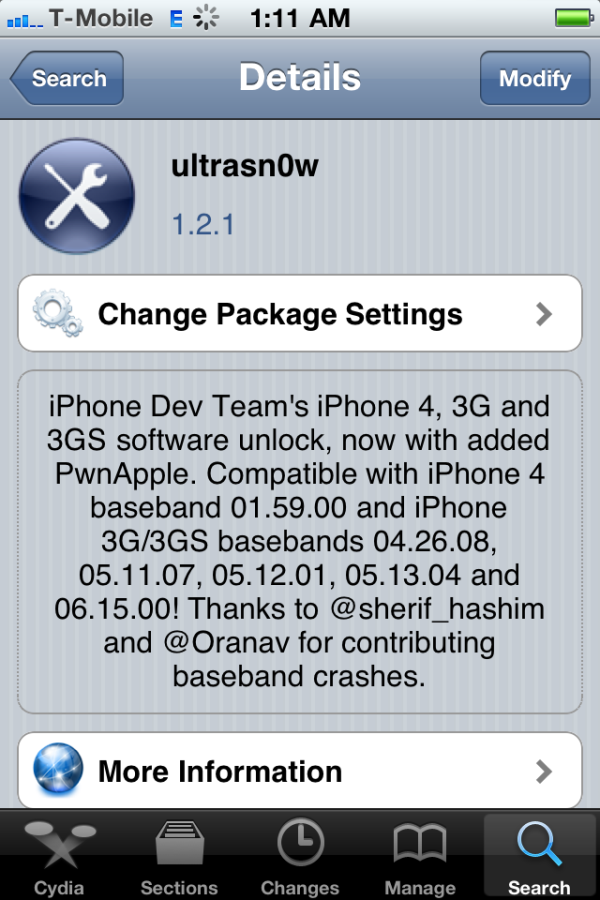
UltraSn0w Unlock Gets Updated To Support iOS 4.3.1

The iPhone Dev-Team has announced an update to UltraSn0w that makes it compatible with iOS 4.3.1 for basebands previously unlocked.


We’ve pushed out the 4.3.1 compatibility fix for ultrasn0w in Cydia — it’s now at version 1.2.1. If you’re not already at 4.3.1 and you need the unlock, please be sure you understand how to get to 4.3.1 using a custom IPSW that doesn’t update your baseband. There are lots of guides for this (like at iClarified.com).
This isn’t a new unlock! It’s to allow those who are already unlocked to use FW 4.3.1. It also fixes the signal bar issue for those who aren’t using the unlock but retain an older baseband intentionally.


After installing UltraSn0w 1.2.1 you should reboot your device by using the normal power button and "Slide to Power Off" swipe. USA T-Mobile users need to disable 3G mode in Settings:General:Network.


To upgrade to iOS 4.3.1 without upgrading your baseband you can use one of these tutorials
● TinyUmbrella iPhone 4 (Windows, Mac)
● PwnageTool iPhone 4 (Mac)
● PwnageTool iPhone 3GS (Mac)
You can find our UltraSn0w unlock tutorial here.


Read More

Source: http://iclarified.com/entry/index.php?enid=14653

Monday, March 28, 2011

Fast And Easy Video Processing For iOS

Available for $1.99 on the App Store, the VideoFix app allows the users to process their videos for improving the image quality or for applying special effects. With six different highly configurable filters, the possibilities are endless.


The main filter, called simply "Fix!", is specially designed to enhance the video image quality by providing controls to adjust several different settings like contrast, brightness, or saturation.

The possibility to selectively recover blown-out highlights or enlightening shadows, makes this filter a powerful tool to correct and adjust videos with poor lighting conditions. Version 2.0 adds the possibility to adjust the color temperature of the videos, allowing to correct those videos recorded with a wrong white balance.


The remaining filters are designed to transform totally the appearance of the videos: B&W, Sepia, Tint, Two-Colors and Comic. Instead of being "one-click" effects, each of them presents to the user different, specific, settings that can be adjusted to get a wide range of looks.


With a clean, simple and accessible interface it only takes a few taps to process a video. The iPad interface deserves a special mention: Having all the editing options available from just one screen, with a huge preview area and dynamic controls makes configuring any filter an easy, fast and fun task.


During the whole editing process, the app provides a constant feedback of how the video will look like with the selected settings, making much easier to get the desired results. The export process only requires the user to choose a video resolution for the output. Processed videos are directly saved to the device's Camera Roll.


Feature Highlights:
* Process any video recorded with the device's camera or synchronized via iTunes (maximum resolution accepted is 1280x720, minimum is 192x144)
* "Fix!" filter specially designed to enhance the video image quality
* Five additional filters to choose from, each of them highly configurable
* Different export presets, including HD (720p). Export resolution is limited by the resolution of the original video


Pricing and Availability:
VideoFix 2.0 is only $1.99 USD (or equivalent amount in other currencies) and available worldwide exclusively through the App Store in the Photography category.


Read More

Source: http://iclarified.com/entry/index.php?enid=14478

Friday, March 25, 2011

GV Mobile + Gets A Major Update, New UI

GV Mobile + has received a major update that features a new user interface, push, picture messaging and much more.


GV Mobile + brings the power of Google Voice to your iPhone.


GV Mobile + allows users of Google Voice to do the following with ease:
● picture messaging
● push notifications
● group messaging
● dial numbers via the iPhone address book, entering on the keypad, or choosing from the internal favorites
● send, retrieve, and delete SMS messages
● retrieve and delete recent call history
● playback and delete voicemails
● take calls from different phones other than your iPhone
● enable, disable, add, or delete the phones that Google Voice forwards calls to
● much, much more


What's New In This Version:
● New UI
● Push
● Picture messaging
● Multiple Recipient Texting (up to 5)
● Support for all GV folders
● Search
● Pull to load older data
● Key Tones Off/On
● Default Contacts Action (Favs/Iphone)
● More Call Methods (call using your iPhone # in app, or with GV using other dialers - customizable)
● Support for non-standard Gmail only GV accounts (limited)
● Welcome/Setup wizard
● Favorites is back
● Spell check is back
● Access Call Methods via Keypad
● Voicemail transcription highlighting during playback
● Support for GV related call actions (read/unread,star/unstar,spam,block,archive/unarchive)


You can purchase GV Mobile + from the App Store for $2.99.


Read More [via MacLife]

Source: http://iclarified.com/entry/index.php?enid=14441

Monday, March 21, 2011

Instagram Adds Support for Sharing Photos On Facebook Pages

Instagram for iPhone has been updated will the ability to share photos on Facebook Pages.


Instagram is an amazingly fun & simple life-sharing app for your iPhone. Snap photos wherever you go to show the world what’s going on in your life. Follow your friends’ photo updates as they move through the world. Select from photo filters that transform regular ol’ photos into works of art you’ll want to keep around forever.


Features include:
- Apply over a dozen fun & beautiful filters to your photos
- Post as many photos as you want, for free
- Find and follow friends who are using the app
- Attach (optional) location information to any of your posts
- Share your posts to Twitter, Tumblr, Flickr, Posterous, & Facebook
- Check in to Foursquare when you post a photo with a location
- Let your friends know what you think by liking & commenting on their photos
- View the most popular photos around the world from Instagram users
- Supports first generation, 3G, 3GS and iPhone 4 phones
- Full iPhone 4 front & back camera support


What's New In This Version:
● Support for sharing photos on Facebook pages
● Sharing accounts persist with Instagram account
● Bugfixes when in poor network conditions
Bugfixes for news tab


You can download Instagram from the App Store for free.


Read More


Source: http://iclarified.com/entry/index.php?enid=14357

Friday, March 18, 2011

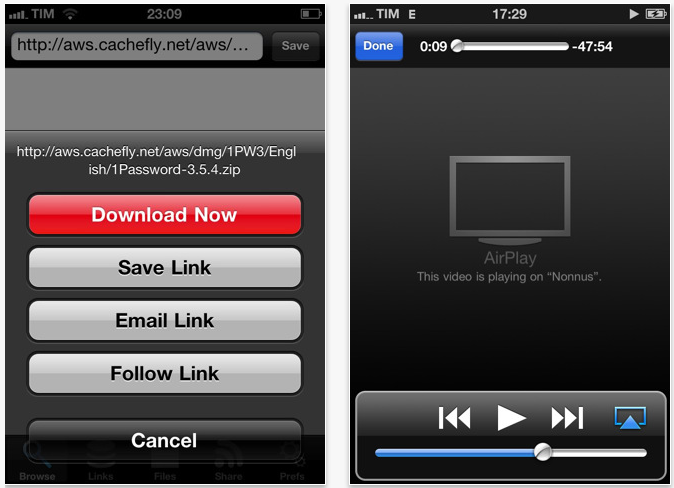
iDownload 2.2 for iOS Adds AirPlay Support

Silicon Studios has announced iDownload 2.2 for iOS, an update to their productivity app that allows users to quickly and easily download and share any file from any website. From office documents and PDF files, to music and movies, the app supports numerous file formats. Once downloaded, users have the ability to view files or share them via Bluetooth, WiFi, USB, or email. The update brings AirPlay support on iOS 4.3, enables users to download files directly from Mobile Safari and Mail and includes "Open in" support. iDownload was the first app of its kind to reach the App Store in 2008, and has been in the Top Ten of Productivity Apps in several countries around the world.


New in iDownload 2.2 is tighter integration with native iOS Apple apps. Mail will allow the transfer of attachments to iDownload using the "Open in..." option. The "Open in..." capability also allows the downloading of binary files directly from Mobile Safari, and the free and easy exchange of any files or documents between iDownload and other apps. Also included in the update is AirPlay compatibility, which will give users the ability to wirelessly stream videos, music, and photos downloaded with iDownload from any iOS device to Apple TV (second generation). In addition, the new technology introduced in iOS 4.3 will allow streaming of "iDownloaded" music to AirPlay speakers or receivers, including AirPort Express.


Feature Highlights:
* AirPlay support
* Full support for "Open in" option to allow the download of files directly from Safari
* Retina Display support
* Universal app
* USB iTunes File Sharing support
* External Display Support (iPhone 4, iPad, and iPod 4G)
* Preview engine powered by QuickLook
* AirPrint wireless printing
* Background audio
* Multitasking support, downloads will continue in background
* Easy exchange of any files or documents between other apps and iDownload
* Pause and resume downloads
* Transfer files via Wi-Fi, USB, and Bluetooth Peer-to-Peer
* Bookmarklet lets users tag URLs in Safari and open them directly in the iDownload browser
* Full-featured file management
* Transfer files to any networked browser enabled device
* Landscape support
* Password protection
* Zip file support
* Email files and links
* Built in help and feedback reporting


"iDownload for iOS is the fastest, most convenient method of downloading and sharing files," commented Founder Nuno Pereira. "iDownload is an integrated solution for managing, transferring, and using downloads of every kind."
Pricing and Availability:


iDownload 2.2 is $2.99 (USD) and available worldwide through the App Store in the Productivity category


Soure: http://iclarified.com/entry/index.php?enid=14332

Tuesday, March 15, 2011

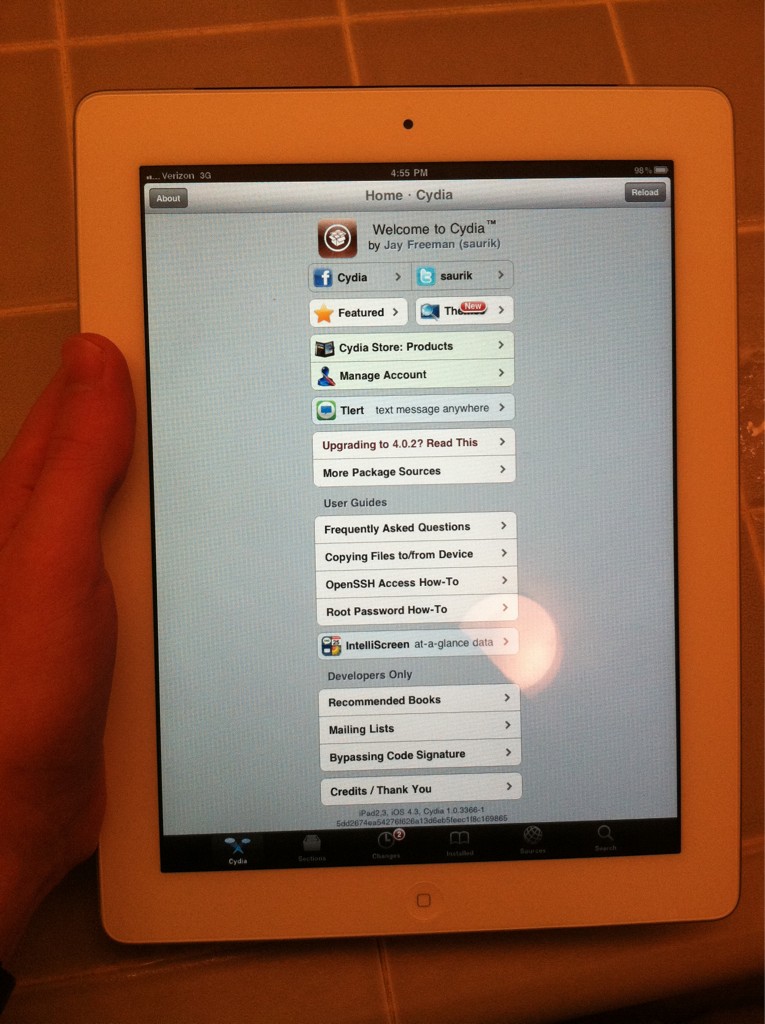
The iPad 2 Has Been Jailbroken!

Only two days after its release the iPad 2 has been jailbroken by comex.


Congrats to @comex for jailbreaking yet another brand new device (iPad2) while 2500 miles away from it [iphone_dev]
We'll update this post as more information about the jailbreak becomes available. At this point we are assuming its a userland jailbreak similar to Spirit.


Comex notes that he would've had it yesterday if I didn't have to spend 1.5 days looking for a replacement exploit (which came from a most unexpected place...)


Source: http://iclarified.com/entry/index.php?enid=14255

Wednesday, March 9, 2011

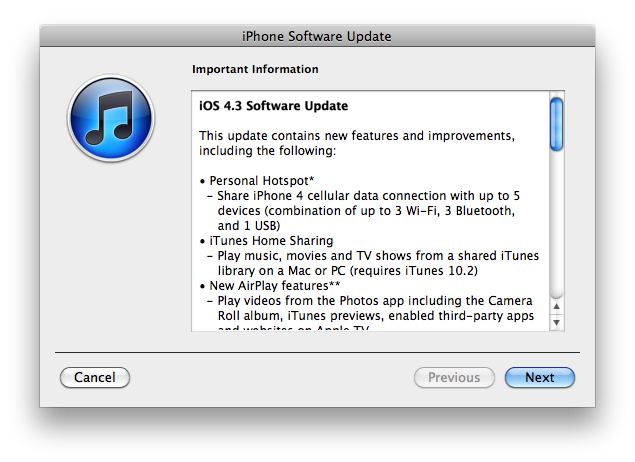
Apple Releases iOS 4.3 for iPhone, iPad, iPod Touch, AppleTV

Apple has released iOS 4.3, its latest operating system update for the iPhone, iPad, and iPod touch.


This update contains new features and improvements, including the following:
● Personal Hotspot
- Share iPhone 4 cellular data connection with up to 5 devices (comination of up to 3 Wi-Fi, 3 Bluetooth, and 1 USB)
● iTunes Home Sharing
- Play music, movies and TV shows from a shared iTunes library on a Mac or PC (requires iTunes 10.2)
● New AirPlay Features
- Play videos from the Photos app including the Camera Roll album, iTunes previews, enabled third-party apps, and websites on Apple TV.
● Faster Safari Performance with Apple Nitro JavaScript engine
● HD Video Out using the Apple Digital AV Adapter
- View 720p HD videos from the Videos app, iPod app, Photos, YouTube, Safari, Keynote, and enabled third-party apps on an HDMI display
● Ping Features
- Push notifications for comments and follow requests
- Posts and Like songs directly from the Now Playing screen
- Parental contols
● New Settings
- Messages setting for number of times to repeat an alert
- iPad side switch settings to lock screen rotation or mute audio notifications and sound effects
● Single tap conference call dialing with a pause to send a passcode
● Bug Fixes


Products compatible with the software update:
● iPhone 4 (GSM model)
● iPhone 3GS
● iPad
● iPod touch (4th generation)
● iPod touch (3rd generation)


You can learn more about iOS 4.3 here.


You can find download links here:
iPhone
iPad
iPod touch
AppleTV


Source: http://iclarified.com/entry/index.php?enid=14199

Monday, March 7, 2011

Pay-As-You-Go Shocker! CDMA iPhone 4 Makes Its Way To Cricket Wireless (Via Jailbreak)

110307-cricket-01[1]

As any astute follower of the "pay-as-you-go" world knows, there are quite a few back alley Cricket dealers (and quite a few main street ones as well) that will happily flash any phone you give them for use on their network -- and not even Verizon's CDMA iPhone is immune. Ready to jump ship from "America's largest?" Of course, you'll have to jailbreak, install some third party MMS software, and trust some random dude at the Cricket store with your precious smartphone. We're not saying it's wise, but it is possible, as the video below attests. See for yourself after the break.


[Thanks, Mark]


Source: http://www.engadget.com/2011/03/07/pay-as-you-go-shocker-cdma-iphone-4-makes-its-way-to-cricket-wi/

Wednesday, March 2, 2011

Apple Announces iPad 2: A5 Dual Core, 2 Cameras, Thinner

As expected, Apple announced the next generation of its popular tablet device at a media event today. The iPad 2 will have the same 9.7-inch display but will be 33% thinner than the previous model. It will have front-facing and rear-facing cameras and Apple's new 1GHz dual-core A5 processor.

“With more than 15 million iPads sold, iPad has defined an entirely new category of mobile devices,” said Steve Jobs, Apple’s CEO. “While others have been scrambling to copy the first generation iPad, we’re launching iPad 2, which moves the bar far ahead of the competition and will likely cause them to go back to the drawing boards yet again.”

With the addition of cameras, the next-generation iPad will be capable of making FaceTime calls with other FaceTime-capable devices. The rear-facing camera can capture 720p HD video. Despite its thinner casing, the iPad 2 will have the same battery life as the first generation of 10 hours and 30 days of stand-by time.


The 3G models of the iPad 2 will be compatible with the GSM networks of AT&T and other carriers as well as Verizon's CDMA network. The versions compatible with Verizon's network will be sold in the U.S. only.

Apple has designed new accessories for the next-generation iPad, including cases called Smart Covers and an HDMI adapter. The Smart Covers will attach magnetically to the iPad 2 and will automatically wake the device when opened and put it to sleep when closed.


The iPad 2 will run iOS 4.3 which will be released for other iOS devices on March 11.


The iPad 2 will be available starting March 11 in the U.S. and will come in two colors: white and black. Pricing and capacities have not changed from the first generation of the iPad with the Wi-Fi models coming in at $499 for 16GB, $599 for 32GB, and $699 for 64GB. The Wi-Fi + 3G models will cost $629 for 16GB, $729 for 32GB, and $829 for 64GB.

Source: http://www.macrumors.com/2011/03/02/apple-announces-ipad-2-a5-dual-core-2-cameras-thinner/

Monday, February 28, 2011

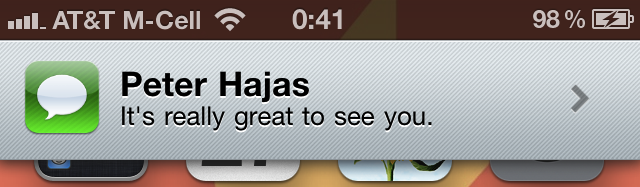
MobileNotifier Beta 3 Adds New Alerts, Lockscreen View, AlertDashboard

Peter Hajas has announced a new beta of MobileNotifier, an open source notifications manager for iOS.


Probably the biggest feature in this release is the addition of new alerts. These alerts - designed by Kyle Adams - are easy on the eyes, animate cleanly, and show the app icon. They're just like they should be - unobtrusive and user-respecting.


AlertDashboard allows you to view your pending alerts, and either remove them or take action on them. It's really smooth and slick, and I think you're going to love it.

MobileNotifier now has a handy lockscreen view, showing you the number of pending notifications in an unobtrusive way.


MobileNotifier Beta 3 Changelog:
● New alerts
● AlertDashboard
● Lockscreen View
● Full push notification support
● Completely reworked MNAlertManager, considerably more intelligent
● Time encoding support with each alert
● Numerous usability improvements
● Bug fixes relating to 3.x compatibility, alert display and other internal aspects of the utility
● and more! The commit log on GitHub is the best place to see all the iterative changes.


You can get MobileNotifier from the http://phajas.xen.prgmr.com/repo Cydia repository.

Read More

Source: http://iclarified.com/entry/index.php?enid=14077

Tuesday, February 22, 2011

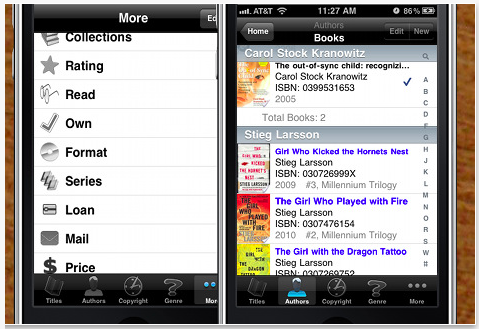
Book Crawler 2.5 For iOS Released

Chiisai App Solutions has released its latest version of the acclaimed Book Crawler book database/catalog app for the iPhone, iPad, and iPod touch. The latest version update adds a second ISBN barcode scanner to Book Crawler's extensive line up of features.


The Book Crawler book database/catalog app describes itself as a powerful, easy to navigate database for the avid reader. With ever-growing capabilities, Book Crawler makes logging, categorizing, searching, and backing up your database both easy and fun. It's a great tool for library professionals, book collectors, and students; and a handy application for everyone else!


The latest feature of Book Crawler adds the useful ZBar ISBN barcode scanner to give users an alternate method of uploading books to their database. Unlike Book Crawler's original barcode scanner, pic2shop, ZBar is fully integrated into the app and does not required a separate download. ZBar is compatible on most iOS platforms, however it will work best for iOS4 and later versions.

Recently featured in the Huffington Post and OCLC WorldCat press releases, Book Crawler is quickly gaining in popularity among its peer applications in the App Store and literary community. Book Crawler has been listed in the "What's Hot" category within the App Store for eight consecutive months, a prestigious head nod from Apple.


"I am so thrilled and excited to be able to produce a book database application that is not only useful to avid readers, but also fun" said Chiisai App Solutions founder and lead developer Jaime Stokes. "I really enjoy working with my customers to provide them with a solution for their book logging needs, and I am really excited for the features that will be released in the next version."


Pricing and Availability:
The full version of Book Crawler 2.5 is $1.99 USD (or equivalent amount in other currencies) and available worldwide exclusively through the App Store in the Books category. The trial version is free.


Read More


Source: http://iclarified.com/entry/index.php?enid=13998

Wednesday, February 16, 2011

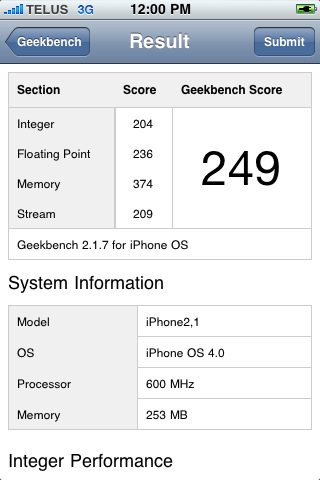
Geekbench 2 App Adds Multi-Core Processor Support

The Geekbench 2 app for iOS has been updated with multi-core processor support.


Geekbench provides a comprehensive set of benchmarks engineered to quickly and accurately measure processor and memory performance. Designed to make benchmarks easy to run and easy to understand, Geekbench takes the guesswork out of producing robust and reliable benchmark results.


What's New In This Version:
- improved processor frequency detection on late-model iOS devices
- added support for multi-core processors


It's unclear why Geekbench has been updated for multi-core as the current iPhone is not. Perhaps they noticed something in their logs...


You can purchase Geekbench 2 from the App Store for $0.99.

Read More [via 9to5Mac]

Source: http://iclarified.com/entry/index.php?enid=13939

Monday, February 14, 2011

Stoned 3D For iPhone

3Dgrafix has announced an update for Stoned 3D for iOS. Stoned 3D 1.0.4 is a fun casual game with amazing graphics and addictive gameplay. Your task is to catch as many falling blocks as possible and to hit the appearing dinosaurs for a good bunch of extra points. You can also upload your scores to OpenFeint to see your position in a worldwide ranking. With its fast and quick gameplay, it is the ideal game for your next coffee break.
This versions brings you:
* The highly requested pause function
* Increased game speed for more arcade feeling
* More sensitive board control
* Compatibility with all iOS devices
"Stoned 3D" is a simple shape matching game that you'll need lightning fast fingers for. Set in a stoneage environment, four Stone Age Men drop stones down on your board and your task is to catch them with the correct "hole"; hitting the appearing dinosaurs will bring a good bunch of extra points.

How to play:

Move the gameboard with your finger to catch the matching blocks. For some extra points try to hit the appearing dinosaurs: The faster the game gets the more points you'll receive. But keep in mind that you only have three lives to catch as many blocks as possible... Missing one means losing a life, so better stay focused and concentrated! When the game is over you can upload your score and see in a worldwide ranking how well you performed.
Pricing and Availability:
Stoned 3D 1.0.4 is $0.99 USD (or equivalent amount in other currencies) and available worldwide exclusively through the App Store in the Games category.
Read More

Source: http://iclarified.com/entry/index.php?enid=13897

Thursday, February 10, 2011

Hipstamatic App Gets Updated to Shoot Rapid-Fire Images

Hipstamatic has been updated with the ability to rapid-fire up to nine images in a row without waiting for processing.

Digital photography never looked so analog. The Hipstamatic brings back the look, feel, unpredictable beauty, and fun of plastic toy cameras of the past! The Hipstamatic keeps the the quirks of shooting old school but gives you the ability to swap lenses, film, and flash settings all with the swipe of a finger.

Features:
• Swap lenses, flashes, and films for hundreds of different effects
• Instantly share your best prints to Facebook, Flickr, and Tumblr
• Enter our monthly photo contests to win amazing prizes
• Order real analog prints delivered to your door, right from the app

Characterized by vignettes, blurring, over saturation, discolored images, Hipstaprints have a casual and seemingly accidental snapshot feel. The Hipstamatic can be downloaded to any iPhone sporting the 3.1 or beyond software update. For $1.99 you can download the base model Hipstamatic which includes a great set of standard lenses, films, and flashes to get started. Additional camera gear is bundled within the app as 'Hipstapaks' and start at 99 cents. Each Hipstapak includes multiple items.

-----------------------------------------------
STANDARD EQUIPMENT (INCLUDED)
-----------------------------------------------
John S lens
Jimmy lens
Kaimal Mark II lens
Ina's 1969 film
Kodot Verichrome film
Blanko film
Standard flash
Dreampop flash

-----------------------------------------------
CURRENT HIPSTAPAKS (available in-app)
-----------------------------------------------
Williamsburg [99¢]
Includes Helga Viking lens, 3 color flash gels, and Pistil film.

The Portland [99¢]
Includes the Lucifer VI lens and BlacKeys film.

Shibuya 渋谷区 [99¢]
Includes the Roboto Glitter lens, Berry Pop flash, and Float film.

Camden [99¢]
Includes Alfred Infrared film and BlacKeys Supergrain film

The Mission [99¢]
Includes Bettie XL lens, Eggshell White camera case, and Ina's 1935 film

What's New In This Version:
● Quicksta Snap film queue system - as you shoot images are processed in the background, enabling you to rapid-fire up to nine images in a row without waiting for processing (requires iOS 4)
● Camera Bag organization system - rearrange and disable lenses, flashes, and films, as well as specifying ones for shake-to-randomize
● Improved HipstaMart, with shiny new FreePak products
● New limited edition FreePak: Fashion FreePak (Chunky Lens and Fashionista Camera Case)
● Other bug fixes and user interface refinements

You can purchase Hipstamatic from the App Store for $1.99.


Source: iClarified

Tuesday, February 8, 2011

Untethered iOS 4.2.1 Jailbreak Tool Released

Although an iOS 4.2.1 jailbreak has been around for a couple months, it came with a catch: if you ever had to reboot your device, you'd have to connect (i.e. tether) it to your computer in order to start using it again.

That's a semi-major inconvenience; if your battery died while you were on the go, you wouldn't be able to use your iPhone, iPod, or iPad again (even if recharged) until you got back to your PC.

Needless to say, people have been itching to get their hands on an "untethered" jailbreak (one that could survive a reboot). The good news: the untethered iOS 4.2.1 jailbreak was just released by GreenPois0n. The bad news: it's Mac-only for the moment, and GreenPois0n's site is currently offline.

Because I'm in the Windows camp, I haven't been able to test the jailbreak myself. And I'm not sure I want to, if only because iOS 4.3 is just around the corner. I will admit I'm eager to get back to using MyWi, the no-monthly-fee hot spot app. But that's pretty much my only motivation for jailbreaking at all.

If you don't want to wait for GreenPois0n to get back online, the jailbreak tool is available via Bittorrent. Keep in mind this is the Mac version; I'm not sure when a Windows version will surface.


As with any such tool, use it at your own risk. In most cases it's fairly easy to "un-jailbreak" a device, to restore it to its original, Apple-sanctioned state, but there's always a chance you could brick your baby.

Want to learn more about all this? Here's a great breakdown of the differences between tethered and untethered jailbreaks.


If you're a Mac user and you're able to snag the tool, hit the comments and let me know how it worked out. For everyone else, let me know your thoughts on the whole jailbreak scene. Worth it? Or not?


Read more: http://reviews.cnet.com/8301-19512_7-20030660-233.html#ixzz1DPdlY7uz