Tuesday, May 24, 2011

iPhone 3GS Will Not Support iOS 5.x?

Mobile-Review Editor-in-Chief Eldar Murtazin is reporting that Apple will drop support for the iPhone 3GS in iOS 5.x.

Murtazin made the following tweet earlier today.

Just one comment. Apple iPhone 3Gs wont be upgradable to iOS 5.x. iPhone 4 will.


The source of Murtazin's statement is unclear; however, considering that iOS 5.x is supposed to be a large update it makes sense for Apple to try and avoid the same problems it had with the iPhone 3G on iOS 4.x.


It also seems to suggest that iOS 5.x would a launch alongside a new device; otherwise, Apple would be left with only one device on its latest operating system.


Source: http://iclarified.com/entry/index.php?enid=15251

Thursday, May 5, 2011

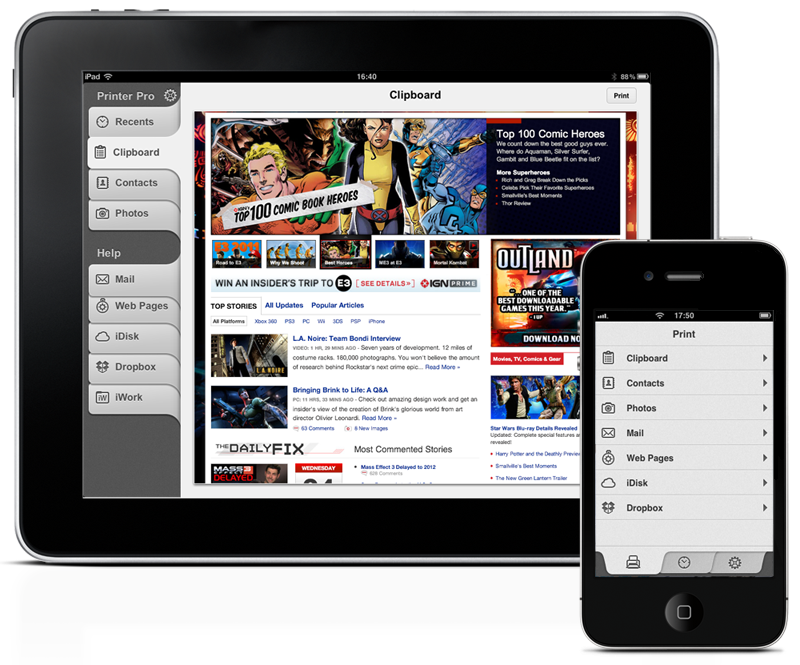
Printer Pro 1.5 Improves Printing From iOS Devices

Readdle has released Printer Pro 1.5, a new version of popular application for printing email attachments, annotated documents, web pages, photos and other types of content from iOS devices.
The new version of Printer Pro enhances printing experience for iPhone and iPad owners by delivering an excellent performance and advanced feature set. Printer Pro 1.5 allows user to manually set up page margins and preview the text layout before printing. In addition to these new options, the update has improved printing process, thus enabling users to print necessary documents in seconds.


Also, Printer Pro 1.5 lets iOS owners to print PDF documents with mark-ups, hand drawn notes, signatures and even embedded forms right from the Mail or PDF reader of their choice. There is no necessity to flatten a document before printing it.


"Apple iOS devices replaced laptops, organizers, scanning and faxing machines for many use cases. All of this became possible thanks to a number of hight quality applications available for the platform," says Igor Zhadanov, Readdle CEO. "Printer Pro delivers the most complete printing solution to the iOS users in a simple and elegant way."


Printer Pro has the key feature of being able to print to many Wi-Fi printers and any printer connected to the Mac or PC via helper application that should be running on the computer. Printer Pro Desktop is a free software, that shares computer's default printer with Printer Pro thus extending list of the supporting printers to virtually any device available on the market.


Pricing and Availability:
Printer Pro 1.5 is $6.99 (USD) and $4.99 (USD) for iPad and iPhone versions accordingly and available worldwide exclusively through the App Store in the Productivity category. Printer Pro Desktop is a free software and can be downloaded from the Readdle web site.
Read More

Source: http://iclarified.com/entry/index.php?enid=14974

Thursday, April 28, 2011

Microsoft Releases OneNote Update For iOS

Microsoft has updated its OneNote application for the iPhone and iPod touch.


Microsoft OneNote Mobile is the easy-to-use, powerful note-taking application for all of your ideas, brought to you by Microsoft Office. OneNote Mobile lets you create and view notes and lists whenever you need them. Sync your notes with free Windows Live online storage and access them from virtually anywhere using your phone, PC, or almost any web browser.


With OneNote Mobile, you can:▪ Create flexible notes that can include text, pictures, bullets, and checkboxes
▪ Check To Do items off on the go
▪ Save time with quick access to your most recent notes
▪ Work with confidence—OneNote Mobile automatically syncs your notes with Windows Live in the background
▪ Organize your notes into sections or create new notebooks using OneNote 2010 or OneNote Web App and access them from your iPhone

What's New In This Version:
▪ Simplified sign-in screen
▪ Ability to email notes
▪ Easier deletion of notes
▪ Home button to quickly return to notebooks view
▪ Faster syncing and app performance


You can download Microsoft OneNote from the App Store for free.
Read More [via MacStories]

Source: http://iclarified.com/entry/index.php?enid=14862

Tuesday, April 19, 2011

RedSn0w 0.9.6rc14 Fixes iOS 4.3.2 Untethered Jailbreak For The iPhone 4

The iPhone Dev-Team has released an update to RedSn0w that fixes issues when performing an untethered jailbreak on an iPhone 4 running iOS 4.3.2.


redsn0w rc14 includes the fixed i4 untether from @i0n1c. You can re-run redsn0w rc14 right over the tethered rc13b to transform the i4 JB into an untethered one.


The 4.3.2 untether works on all devices that actually support 4.3.2 except for the iPad2:
● iPhone3GS
● iPhone4 (GSM)
● iPod touch 3G
● iPod touch 4G
● iPad1


You can download RedSn0w 0.9.6rc14 here:
Windows
Mac


You can find our tutorials here:
● iPhone 4 (Windows, Mac)
● iPhone 3GS (Windows, Mac)
● iPod Touch 4G (Windows, Mac)
● iPod Touch 3G (Windows, Mac)
● iPad 1 (Windows, Mac)


Read More

Source: http://iclarified.com/entry/index.php?enid=14764

Monday, April 11, 2011

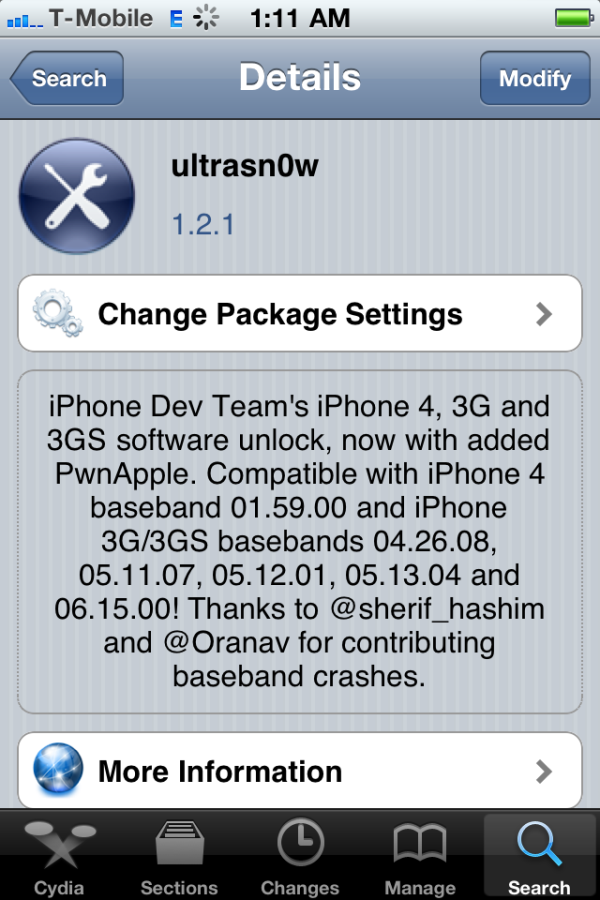
UltraSn0w Unlock Gets Updated To Support iOS 4.3.1

The iPhone Dev-Team has announced an update to UltraSn0w that makes it compatible with iOS 4.3.1 for basebands previously unlocked.


We’ve pushed out the 4.3.1 compatibility fix for ultrasn0w in Cydia — it’s now at version 1.2.1. If you’re not already at 4.3.1 and you need the unlock, please be sure you understand how to get to 4.3.1 using a custom IPSW that doesn’t update your baseband. There are lots of guides for this (like at iClarified.com).
This isn’t a new unlock! It’s to allow those who are already unlocked to use FW 4.3.1. It also fixes the signal bar issue for those who aren’t using the unlock but retain an older baseband intentionally.


After installing UltraSn0w 1.2.1 you should reboot your device by using the normal power button and "Slide to Power Off" swipe. USA T-Mobile users need to disable 3G mode in Settings:General:Network.


To upgrade to iOS 4.3.1 without upgrading your baseband you can use one of these tutorials
● TinyUmbrella iPhone 4 (Windows, Mac)
● PwnageTool iPhone 4 (Mac)
● PwnageTool iPhone 3GS (Mac)
You can find our UltraSn0w unlock tutorial here.


Read More

Source: http://iclarified.com/entry/index.php?enid=14653

Monday, March 28, 2011

Fast And Easy Video Processing For iOS

Available for $1.99 on the App Store, the VideoFix app allows the users to process their videos for improving the image quality or for applying special effects. With six different highly configurable filters, the possibilities are endless.


The main filter, called simply "Fix!", is specially designed to enhance the video image quality by providing controls to adjust several different settings like contrast, brightness, or saturation.

The possibility to selectively recover blown-out highlights or enlightening shadows, makes this filter a powerful tool to correct and adjust videos with poor lighting conditions. Version 2.0 adds the possibility to adjust the color temperature of the videos, allowing to correct those videos recorded with a wrong white balance.


The remaining filters are designed to transform totally the appearance of the videos: B&W, Sepia, Tint, Two-Colors and Comic. Instead of being "one-click" effects, each of them presents to the user different, specific, settings that can be adjusted to get a wide range of looks.


With a clean, simple and accessible interface it only takes a few taps to process a video. The iPad interface deserves a special mention: Having all the editing options available from just one screen, with a huge preview area and dynamic controls makes configuring any filter an easy, fast and fun task.


During the whole editing process, the app provides a constant feedback of how the video will look like with the selected settings, making much easier to get the desired results. The export process only requires the user to choose a video resolution for the output. Processed videos are directly saved to the device's Camera Roll.


Feature Highlights:
* Process any video recorded with the device's camera or synchronized via iTunes (maximum resolution accepted is 1280x720, minimum is 192x144)
* "Fix!" filter specially designed to enhance the video image quality
* Five additional filters to choose from, each of them highly configurable
* Different export presets, including HD (720p). Export resolution is limited by the resolution of the original video


Pricing and Availability:
VideoFix 2.0 is only $1.99 USD (or equivalent amount in other currencies) and available worldwide exclusively through the App Store in the Photography category.


Read More

Source: http://iclarified.com/entry/index.php?enid=14478

Friday, March 25, 2011

GV Mobile + Gets A Major Update, New UI

GV Mobile + has received a major update that features a new user interface, push, picture messaging and much more.


GV Mobile + brings the power of Google Voice to your iPhone.


GV Mobile + allows users of Google Voice to do the following with ease:
● picture messaging
● push notifications
● group messaging
● dial numbers via the iPhone address book, entering on the keypad, or choosing from the internal favorites
● send, retrieve, and delete SMS messages
● retrieve and delete recent call history
● playback and delete voicemails
● take calls from different phones other than your iPhone
● enable, disable, add, or delete the phones that Google Voice forwards calls to
● much, much more


What's New In This Version:
● New UI
● Push
● Picture messaging
● Multiple Recipient Texting (up to 5)
● Support for all GV folders
● Search
● Pull to load older data
● Key Tones Off/On
● Default Contacts Action (Favs/Iphone)
● More Call Methods (call using your iPhone # in app, or with GV using other dialers - customizable)
● Support for non-standard Gmail only GV accounts (limited)
● Welcome/Setup wizard
● Favorites is back
● Spell check is back
● Access Call Methods via Keypad
● Voicemail transcription highlighting during playback
● Support for GV related call actions (read/unread,star/unstar,spam,block,archive/unarchive)


You can purchase GV Mobile + from the App Store for $2.99.


Read More [via MacLife]

Source: http://iclarified.com/entry/index.php?enid=14441